一、故障現象
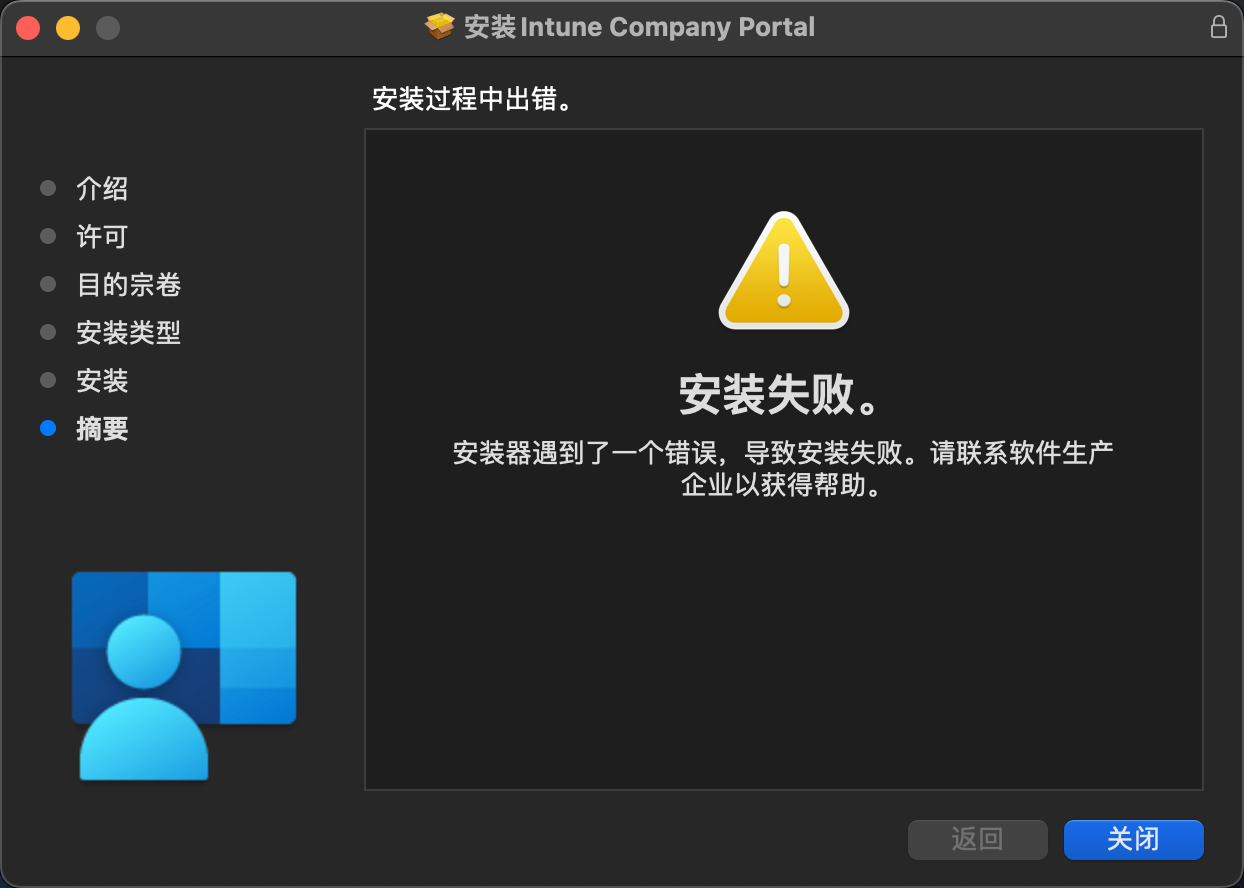
執行 Intune 應用程式安裝套件並同意安裝後,在安裝過程中中止並顯示以下訊息:
二、排查問題
- 開啟終端機並輸入
cat /var/log/install.log,透過這個指令可以查看安裝過程中的日誌資訊。根據日誌資訊顯示,是因為安裝程式沒有權限所導致。
2023-08-25 19:57:45+08 Hostname Installer[10831]: install:didFailWithError:Error Domain=PKInstallErrorDomain Code=110 "提取软件包“CompanyPortal-Installer.pkg”的文件时出错。" UserInfo={NSUnderlyingError=0x600000ff4b40 {Error Domain=PKXARArchiveErrorDomain Code=101 "archive open failed" UserInfo={NSURL=file:///Users/username/Desktop/CompanyPortal-Installer.pkg, NSFileOwnerAccountID=501, NSFileHFSTypeCode=0, NSFileSystemFileNumber=71266333, NSFileExtensionHidden=false, NSFileSystemNumber=16777229, NSFileSize=24795960, NSFileGroupOwnerAccountID=20, NSFileHFSCreatorCode=0, NSFileOwnerAccountName=username, NSFilePosixPermissions=448, NSFileCreationDate=2022-09-28 11:02:21 +0000, NSFileType=NSFileTypeRegular, NSFileProtectionKey=NSFileProtectionCompleteUntilFirstUserAuthentication, NSFileGroupOwnerAccountName=staff, NSFileReferenceCount=1, NSFileModificationDate=2022-09-28 11:03:33 +0000, NSLocalizedDescription=archive open failed}}, NSURL=file:///Users/username/Desktop/CompanyPortal-Installer.pkg#Office16_all_autoupdate.pkg, PKInstallPackageIdentifier=com.microsoft.package.Microsoft_AutoUpdate.app, NSLocalizedDescription=提取软件包“CompanyPortal-Installer.pkg”的文件时出错。}
2023-08-25 19:57:45+08 Hostname installd[5240]: PackageKit: Removing client PKInstallDaemonClient pid=10831, uid=501 (/System/Library/CoreServices/Installer.app/Contents/MacOS/Installer)
2023-08-25 19:57:45+08 Hostname Installer[10831]: Install failed: 安装器遇到了一个错误,导致安装失败。请联系软件生产企业以获得帮助。
2023-08-25 19:57:45+08 Hostname Installer[10831]: IFDInstallController 1DB540 state = 8
2023-08-25 19:57:45+08 Hostname Installer[10831]: Displaying 'Install Failed' UI.
2023-08-25 19:57:45+08 Hostname Installer[10831]: 'Install Failed' UI displayed message:'安装器遇到了一个错误,导致安装失败。请联系软件生产企业以获得帮助。'.
三、解決方法
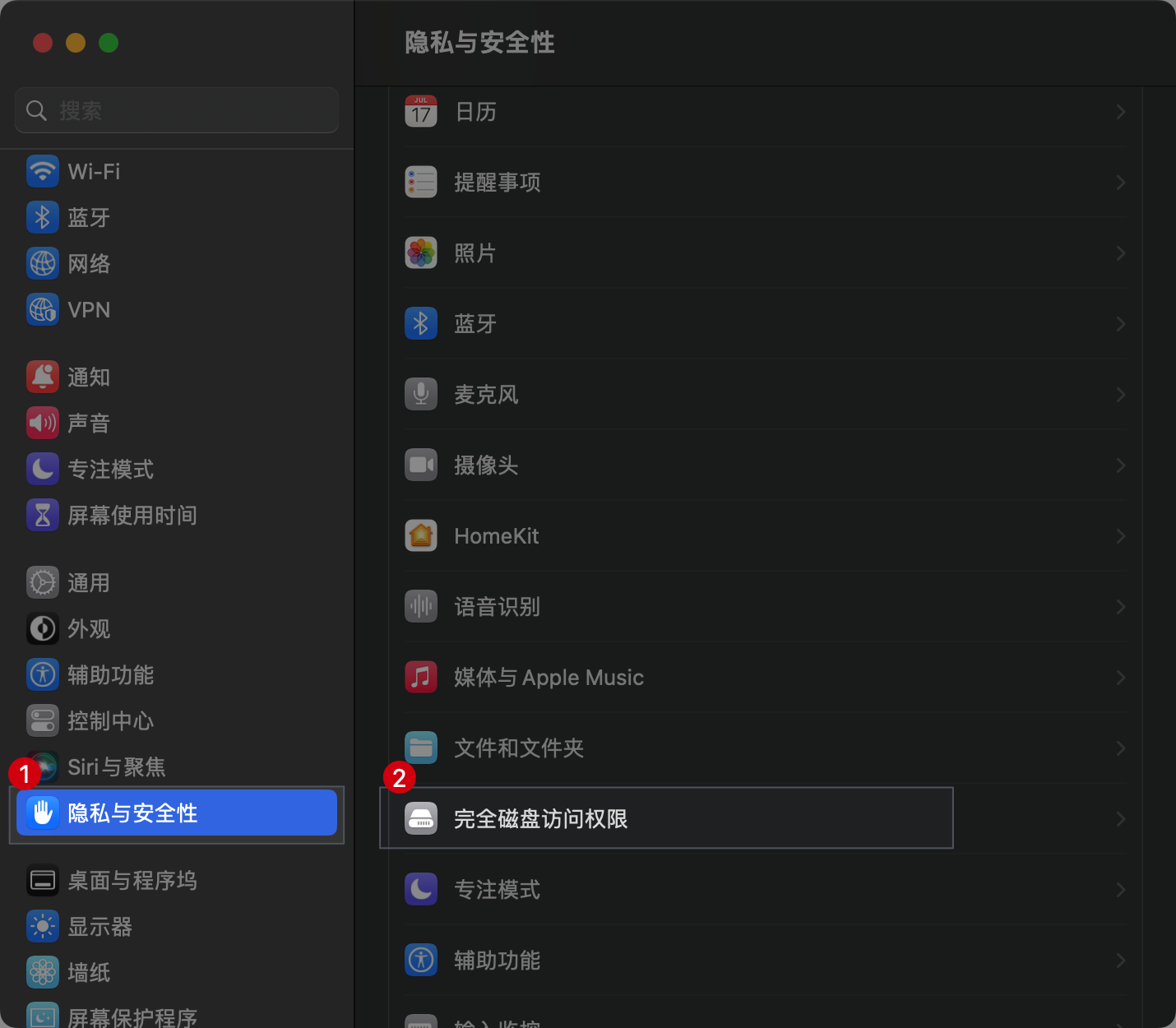
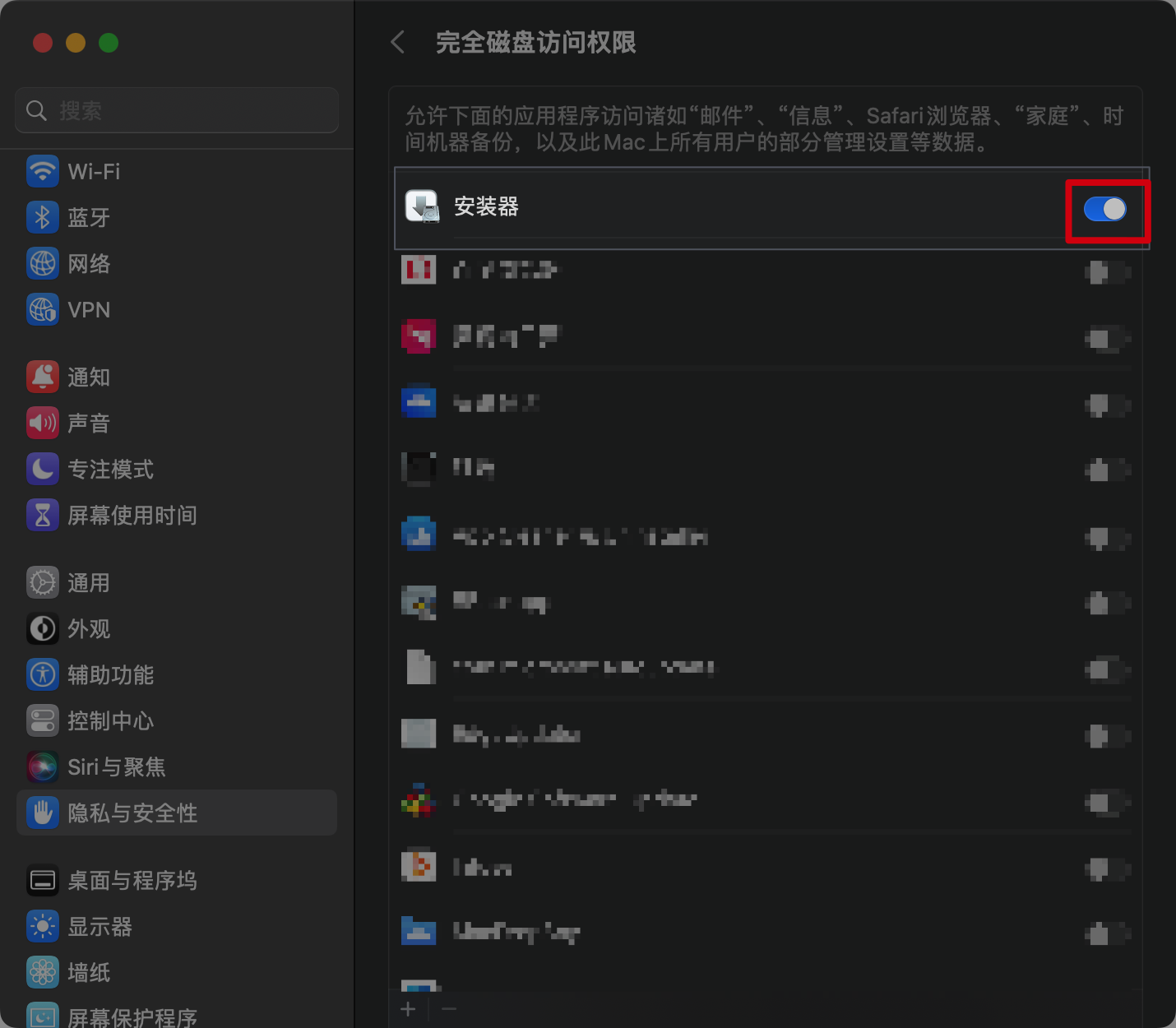
開啟安裝程式的完整磁碟取用權限即可。