1. Overview
Some small and micro businesses have several branch offices, and when building network connectivity to the head office they need to link the branch networks across different locations. Dedicated lines, or IPSec setups that require public IP addresses, are often ruled out because of cost. Here we introduce how to connect branch office networks across sites with ZeroTier One, helping small and micro businesses build network connectivity at low cost.
ZeroTier One is an open-source application that links network traffic from different locations together with peer-to-peer encryption, providing secure network communication.
2. Prerequisites
- A fully configured OpenWrt router on the local network, with more than 1 MB of free space on OpenWrt.
3. Registering for ZeroTier One
-
Visit ZeroTier One and sign up for an account to get a ZeroTier One network ID. A free account can deploy 25 ZeroTier One nodes.
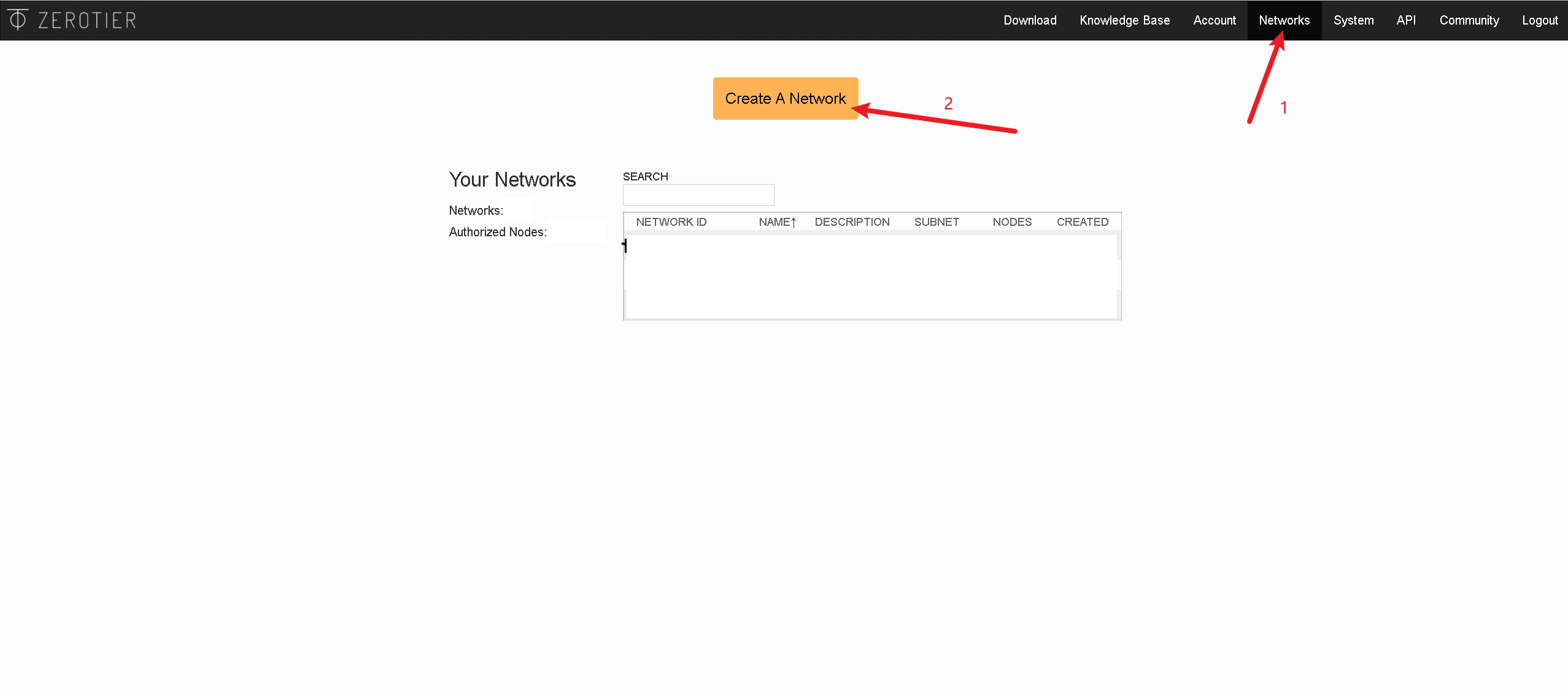
Once the network is created, you can see your network ID in ZeroTier One. You will need this ID later to join the network.
4. Configuring ZeroTier One on OpenWrt
-
Connect to OpenWrt over SSH and install ZeroTier One
ssh root@<OpenWrt IP> #更新源 opkg update #安装 ZeroTier One opkg install zerotier -
Configure ZeroTier One
#加入 ZeroTier One 网络
zerotier-cli join <ZeroTier One ID>
When that is done, go to the ZeroTier website and authorize the device to join the network.
-
Create an interface and configure the firewall
In the OpenWrt menu, go to "Network - Interfaces" and click "Add new interface".

Configure the interface's firewall
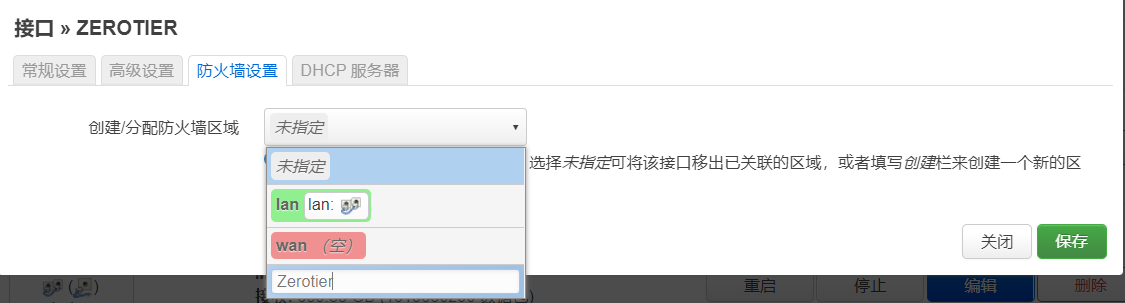
Configure the firewall zone settings
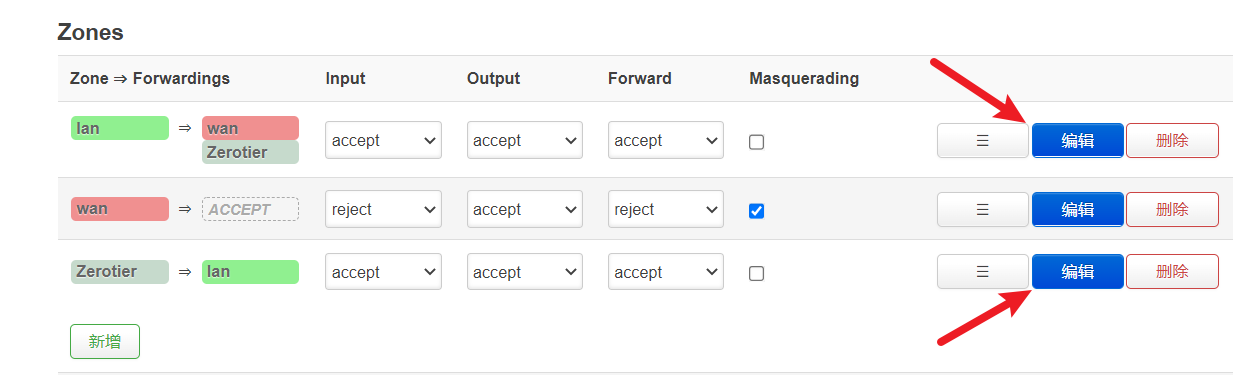
-
Check network connectivity with the ping command
ping <ZeroTier One 网络 IP>Just check that ping packets go through normally in both directions.