1. Background
When adding a Tencent Exmail (Tencent enterprise email) account to the latest version of Outlook on Windows, Outlook can't find the correct server address. It gets it wrong whether you use POP, IMAP, or Exchange.
2. Solution
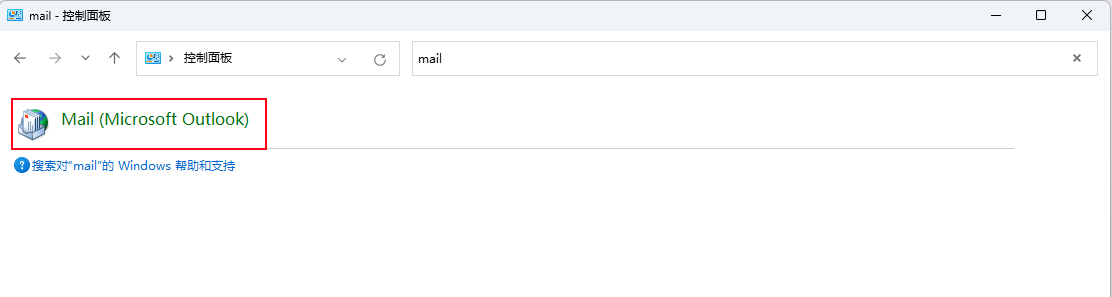
1. Open Control Panel and search for Mail
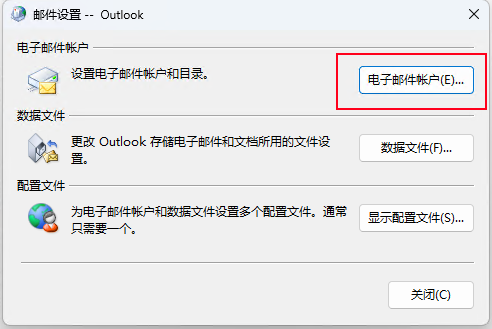
2. Open Email Accounts
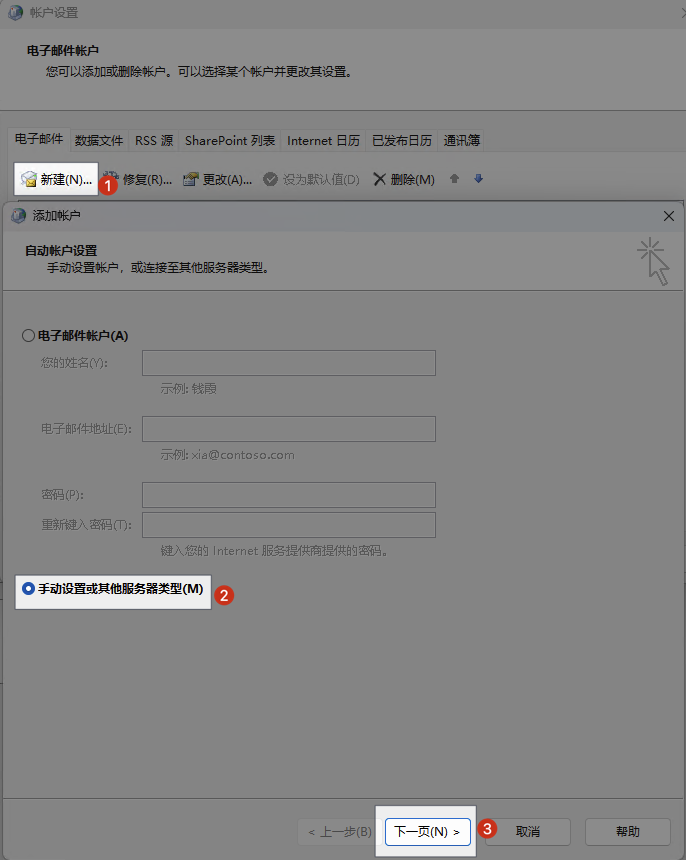
3. Click New, choose "Manual setup or additional server types", then click Next
4. Select Exchange Activesync
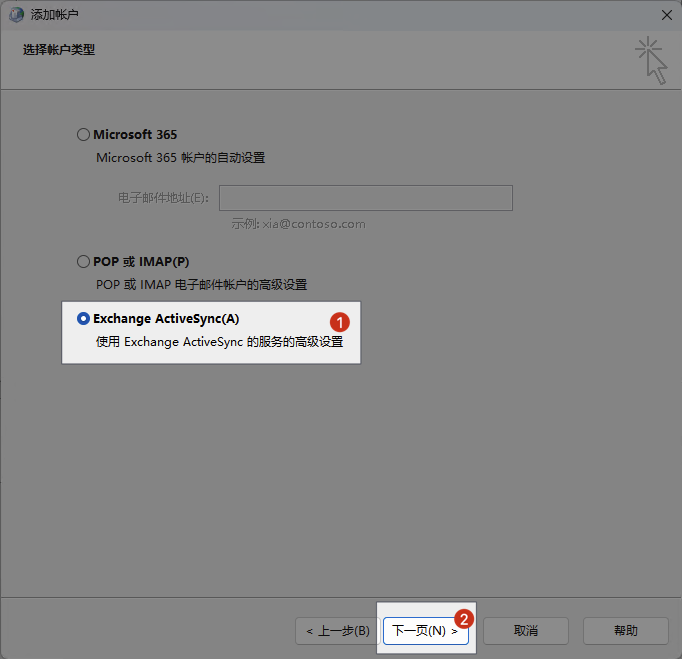
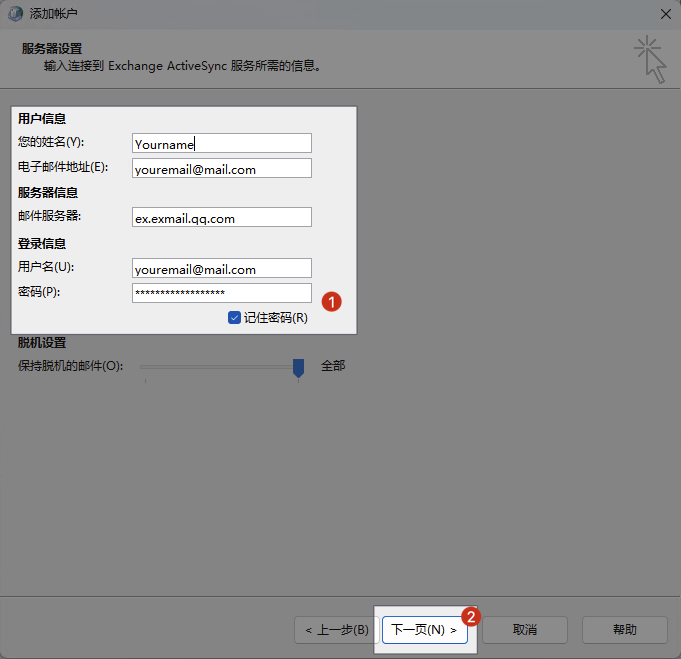
5. Finally, fill in your name, email address, password, and other details, enter ex.exmail.qq.com as the mail server, and click Next. That completes the setup.