1. Symptoms
After adding a user, the user can't log in and gets an "incorrect username or password" error.
2. Troubleshooting
1. Check whether the users added in the LDAP Server have been synced to Synology
1.1. Go to Control Panel > Domain/LDAP > LDAP Users
1.2. Check whether the added users are listed; if not, click the Sync button.
2. Check whether the password meets the complexity requirements
The password must meet the following conditions; if it doesn't, change it:
- A mix of uppercase and lowercase letters, numbers and symbols
- At least 12 characters
- Does not contain the username
3. The IP/account has been blocked after repeated failed logins
1.1. Go to Control Panel > Security > Account
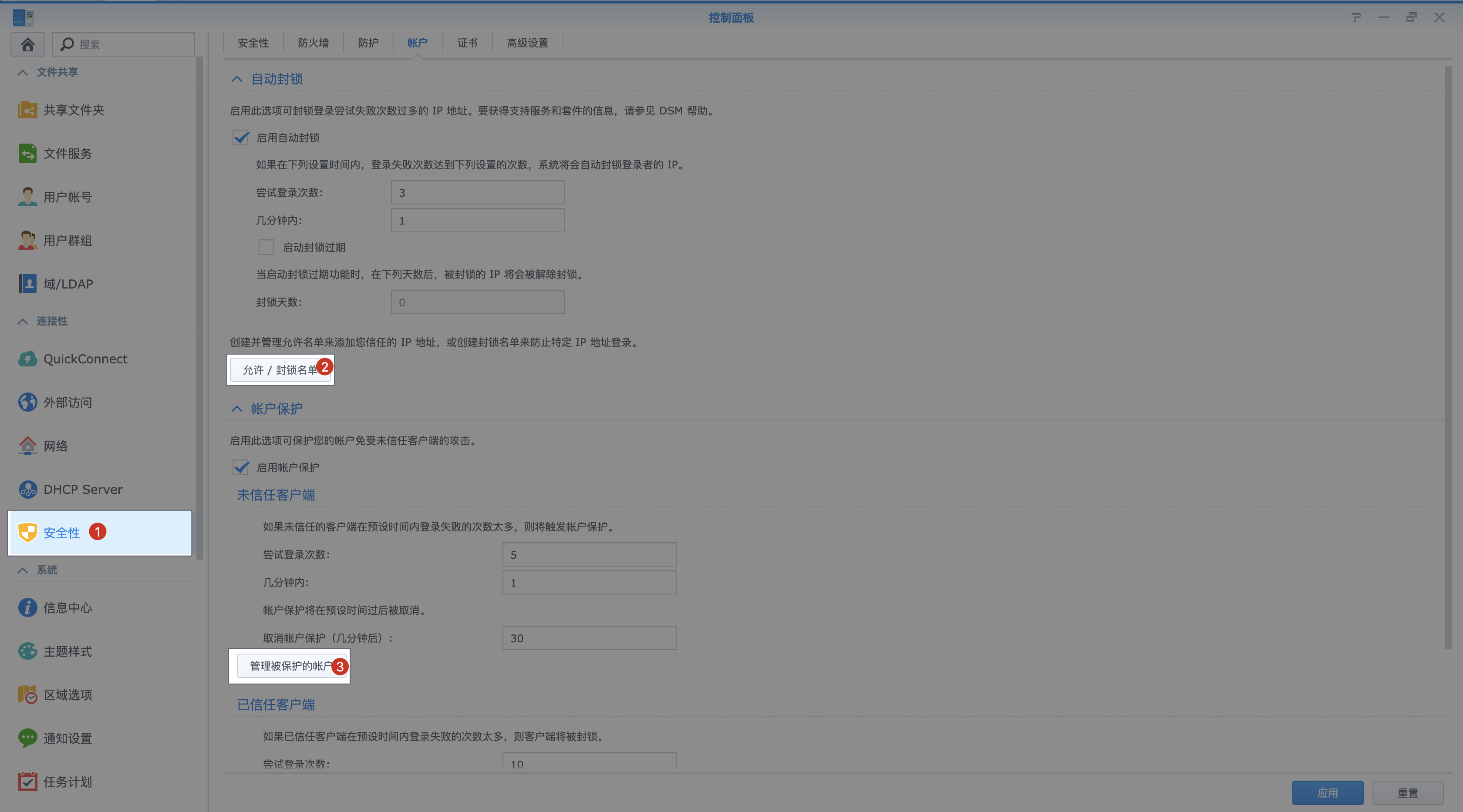
1.2. Check the Allow/Block List and make sure the user's IP is not on the block list; if it is, remove it.
1.3. Check whether this user account appears under Manage Protected Accounts; if it does, remove it.
To be continued...