1. Symptoms
-
Switching between the Chinese and English input methods works normally;
-
After switching to the Chinese input method, only underlined pinyin appears, but the candidate window doesn't show up, so you can't pick the word you want;
2. Solution
This is caused by a fault in the built-in mac OS input method process. You can also refer to the article How to Fix Frequent Freezes on macOS 13 to resolve it.
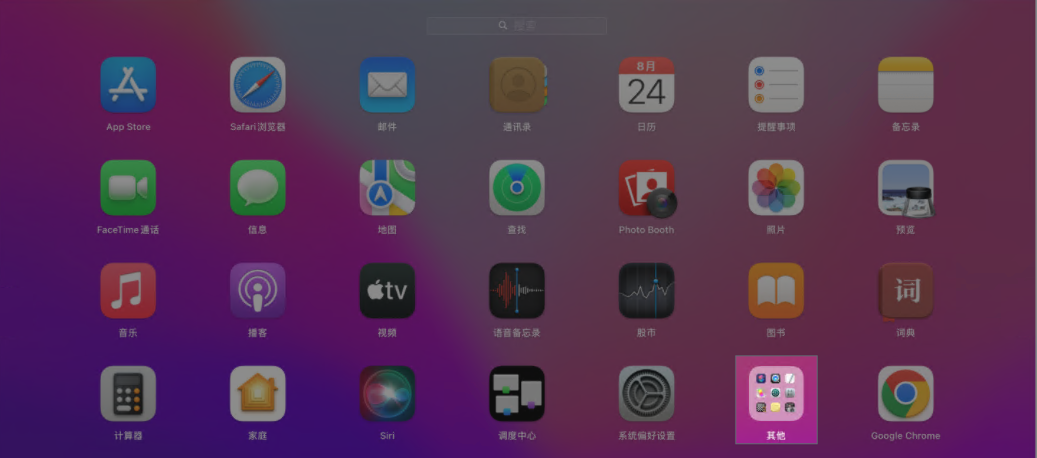
- Open Launchpad and click Other;
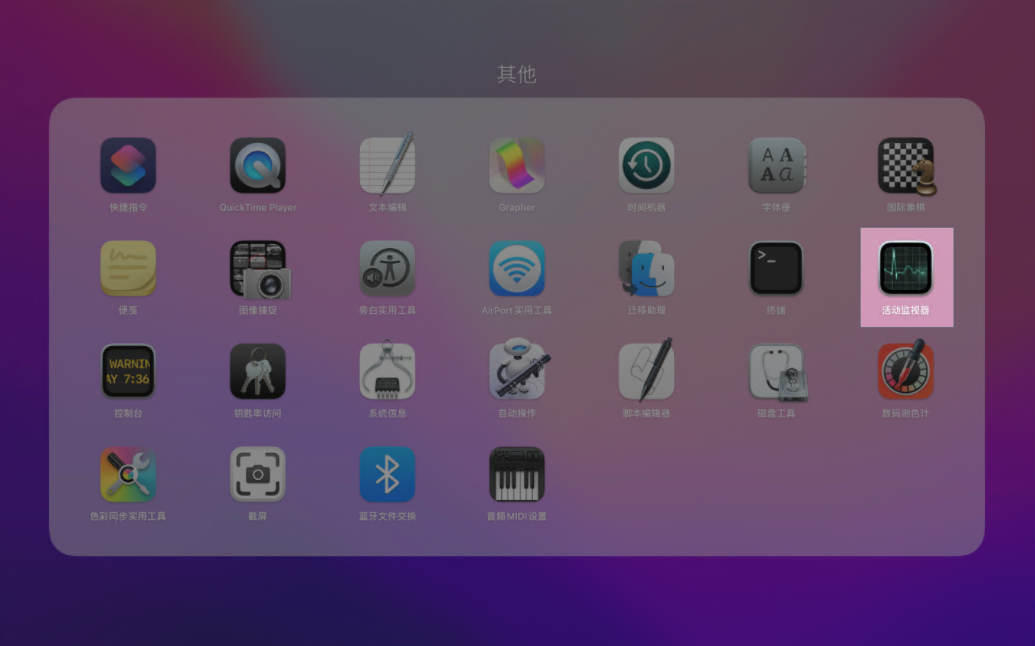
- In Other, click "Activity Monitor";
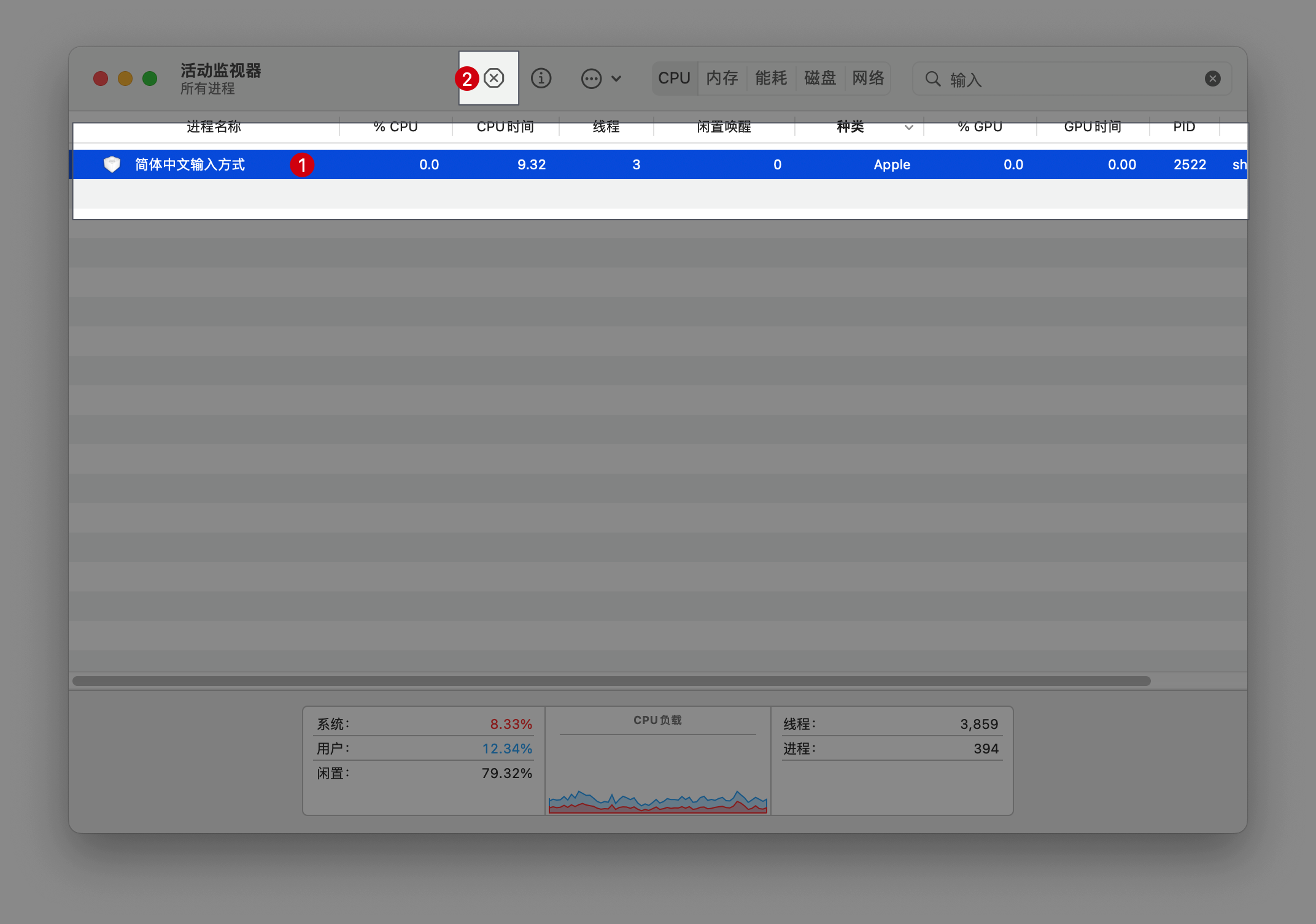
- In the Activity Monitor window, type "输入" ("input") in the search box, and the running input method processes will be shown;
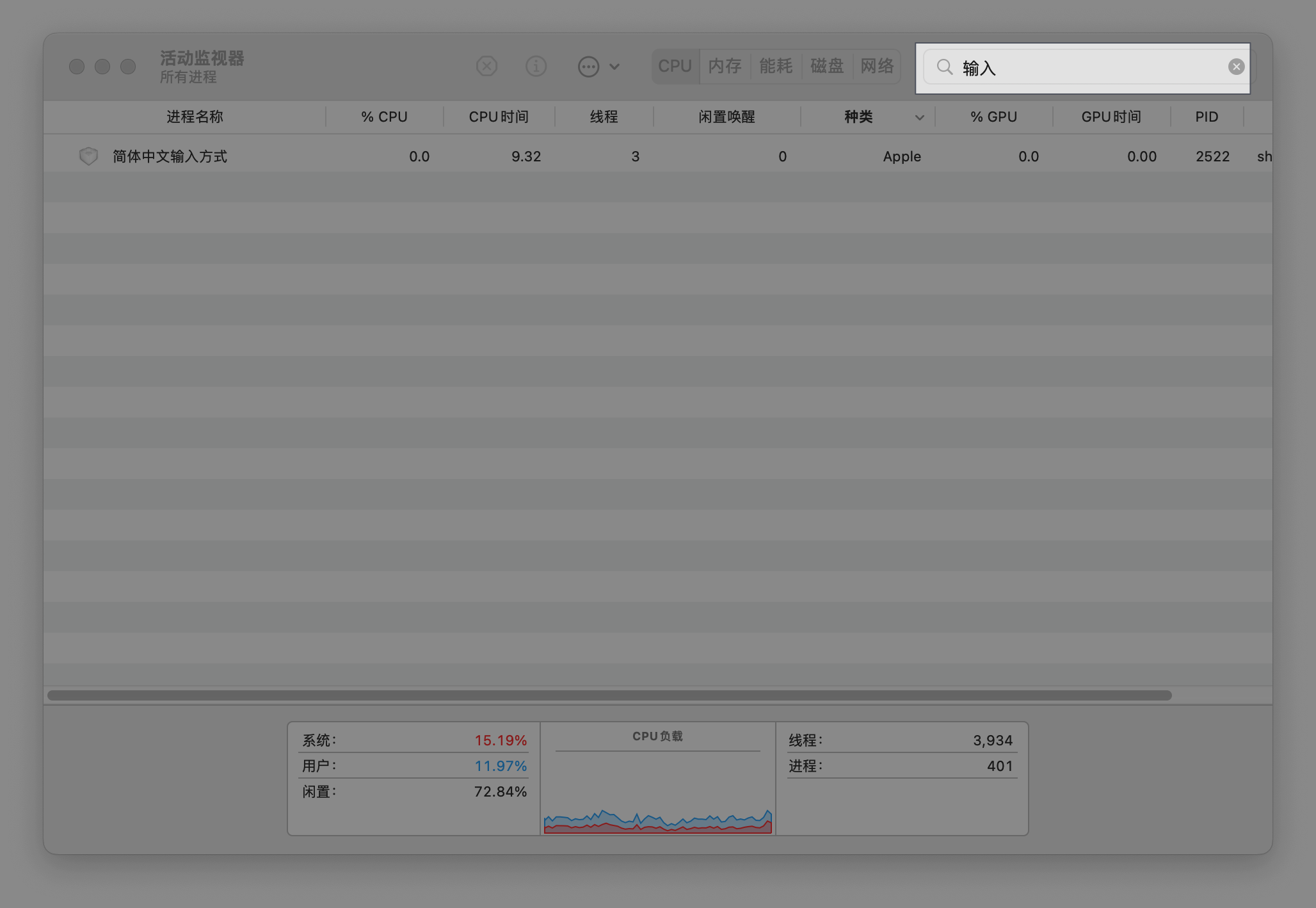
- Select the input method process that appears and click the "X" at the top to close it.
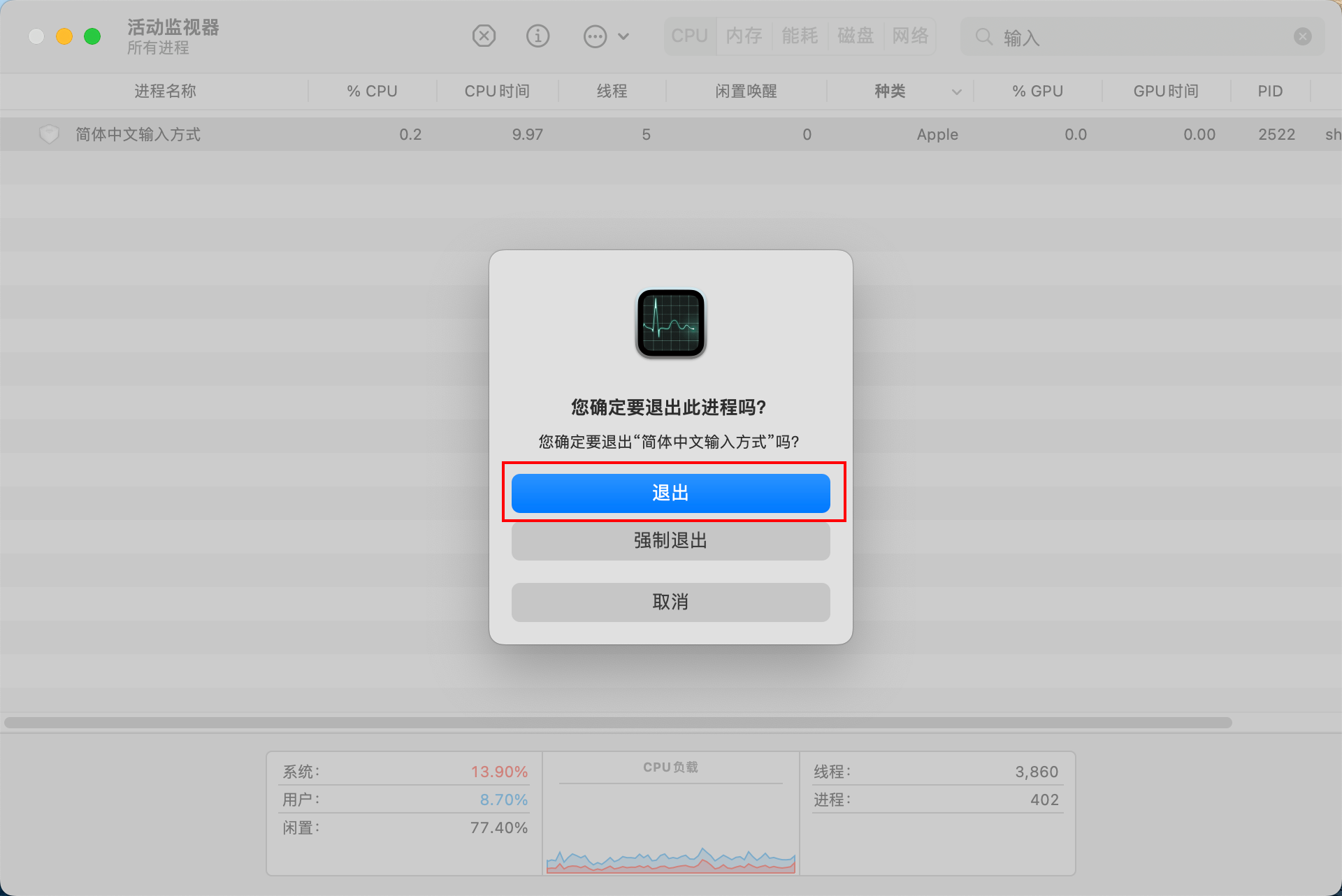
- A dialog asking whether to quit the input method will pop up; click the "Quit" button and the problem is solved.