1. Symptoms
Some macOS users find that the ESC key suddenly stops working, with no response from either an external keyboard or the on-screen keyboard.
2. Solution
Method 1:
- Press command+Space, search for Terminal, and open it.
- Enter the following command and press Return.
kill -9 $(pgrep Siri)
Method 2:
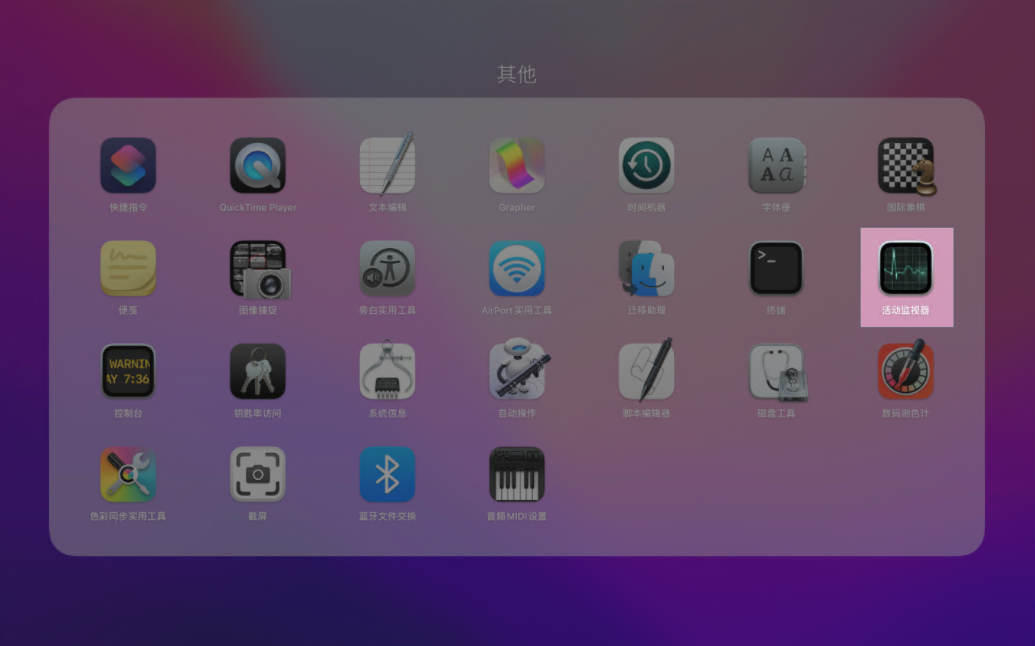
- Open Launchpad and click "Other".

- In "Other", click "Activity Monitor".
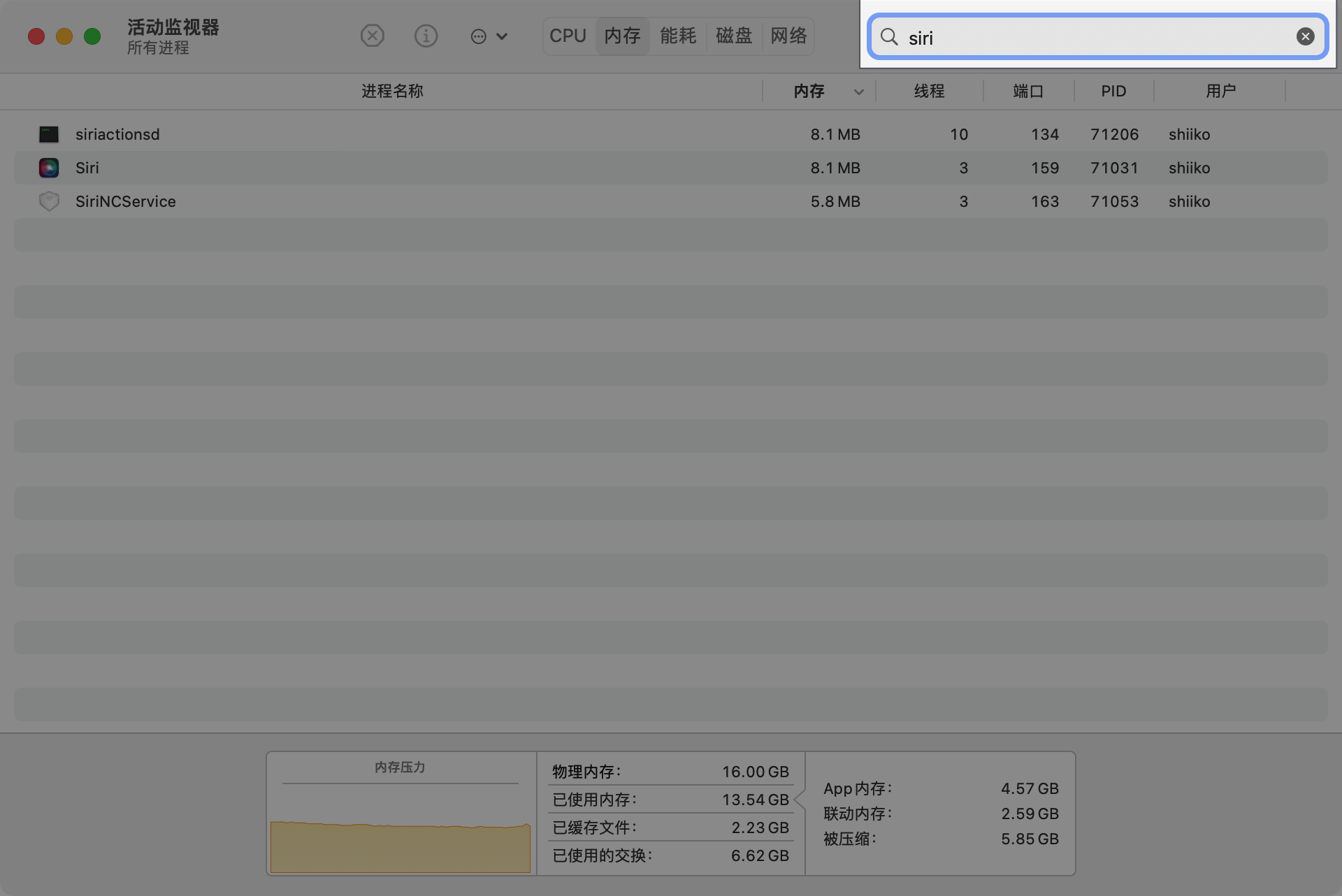
- In the Activity Monitor window, type "siri" in the search box, and the running siri processes will be shown.
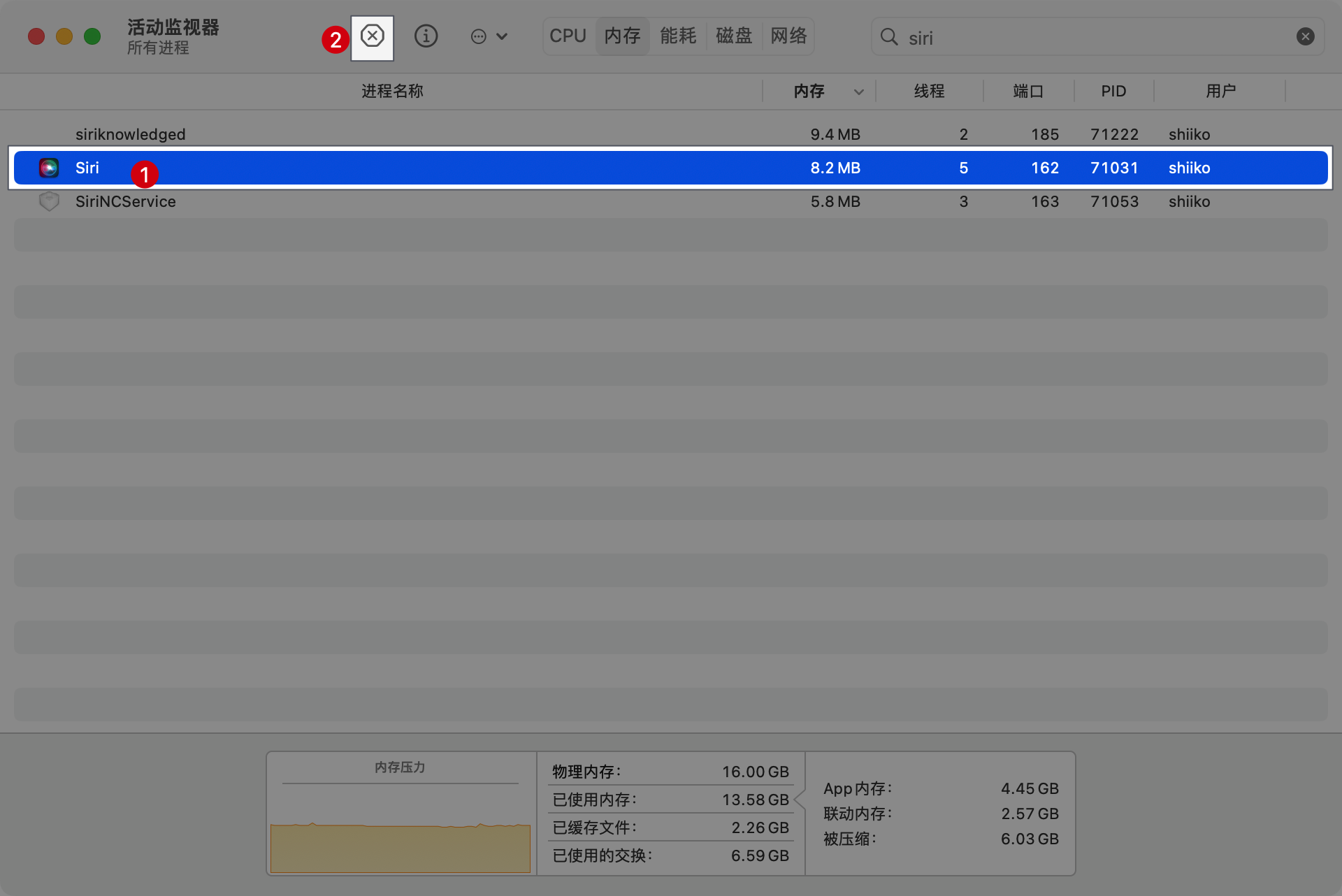
- Select the siri process that appears and click the "X" at the top to close it.
- A prompt asking whether to quit the input method will pop up; click the "Quit" button, and the problem is solved.